 WEB • SEO • APPS • AI
Website relaunch: 8 warning signs your website is costing you customers
A website can be online and still give away jobs every single day. Here are the eight most common warning signs – and how to relaunch without throwing away the Google rankings you worked hard to build.
 Vitalii NechaiFounder of Vetael
- A website loses customers long before it looks “broken”: through slow loading, a weak mobile view and obstacles in the way of an enquiry.
- If three or more of the eight warning signs apply, a relaunch usually beats yet another round of patching.
- Rankings aren’t lost because of a new design – they’re lost through changed URLs without redirects and deleted content.
- With a page inventory, 301 redirects and checks after launch, your visibility stays intact – and often improves.
Many company websites were built five to ten years ago and have barely been touched since. They’re online, the legal notice is roughly right, and someone still knows the password. The problem: your customers aren’t comparing you with 2016 – they’re comparing you with the competitor they opened on Google two seconds earlier. The following eight warning signs show whether your website is quietly giving away work.
8 warning signs your website is costing you customers
- 1. It’s a struggle on a smartphone. Visitors have to zoom in to read, buttons sit too close together, and the phone number can’t be tapped. Most visitors arrive on mobile – and Google has been judging your site by its mobile version for years.
- 2. The site loads slowly. After around three seconds, many visitors give up. Typical causes: huge photos, a bloated theme, dozens of plugins and cheap hosting. We explain exactly what Google measures further down.
- 3. Enquiries hardly ever come in. People visit, but nobody gets in touch. Usually there’s no clear next step: a visible contact button, a short form, a word on your service area and response time.
- 4. Content and references are out of date. “Latest news” from 2019, staff who left long ago, services you no longer offer. Visitors draw conclusions about the whole business – even if it’s in excellent shape.
- 5. You can’t change anything yourself. Every price change and every new photo means an email to the agency and days of waiting. The result: at some point nothing gets updated at all.
- 6. Security and updates are missing. WordPress plugins that haven’t been updated in years, an old PHP version, no backups – in the worst case, no HTTPS. Browsers then show “Not secure”, and outdated plugins are the most common way in for attackers.
- 7. There are legal gaps. A legal notice (Impressum) without the full details required by Section 5 of the German Digital Services Act (DDG), a cookie banner without a real “reject” option, or Google Fonts loaded straight from Google’s servers. That last one has triggered waves of cease-and-desist letters in Germany in recent years. You’ll find the details in our guide to mandatory information on a company website.
- 8. People can’t find you on Google. Anyone searching for your service plus their town ends up with the competition. Often there are no dedicated service pages, page titles are duplicated, or the technology is hard for Google to read.
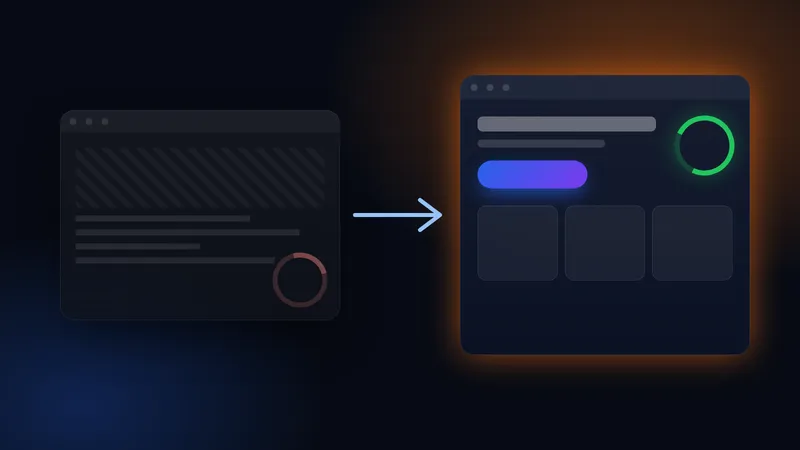
One or two of these can often be fixed with targeted corrections. If three or more apply, a relaunch is almost always cheaper than endlessly patching a foundation that no longer holds.
Core Web Vitals in plain English
Core Web Vitals are how Google measures what your website feels like for real visitors. There are three values, and you can check them for free with PageSpeed Insights or in Google Search Console:
| Metric | What it means | Good value |
|---|---|---|
| LCP (Largest Contentful Paint) | When does the most important content appear, such as the large header image? | under 2.5 seconds |
| INP (Interaction to Next Paint) | How quickly does the page respond when someone taps or clicks? | under 200 milliseconds |
| CLS (Cumulative Layout Shift) | Does content jump around while loading, so people tap the wrong thing? | under 0.1 |
These numbers aren’t an end in themselves: a fast, stable page is rated higher by Google and brings in noticeably more enquiries, because fewer visitors give up along the way.
Relaunch or redesign – which do you need?
The two terms are often used interchangeably, but they mean different things:
| Redesign | Relaunch | |
|---|---|---|
| What changes | The look: colours, fonts, layout | Technology, structure, content and design |
| Technical foundation | stays the same | is rebuilt |
| Makes sense when | the technology is solid and only the look feels dated | speed, security, maintenance or visibility are causing problems |
| SEO risk | low | manageable – with careful planning |
A pure redesign looks cheaper, but it doesn’t fix anything beneath the surface. If you ticked warning sign 2, 5, 6 or 8, you’ll usually need a new foundation.
How to relaunch without losing Google rankings
The fear of losing rankings is justified – but it almost always comes down to the same avoidable mistakes. This is how we approach a website relaunch:
- An inventory of every page. Before the first draft, we record every URL on the old site along with its traffic, Google positions and links from other websites. That makes it clear which pages already bring you customers today.
- Keep URLs or redirect them with a 301. Wherever possible, URLs stay the same. Where they can’t, a permanent 301 redirect points from the old page to the matching new one. Google then passes on the strength the page has built up, and visitors never land on an error page.
- Keep the content that works. Pages that get found are revised rather than deleted. Titles and descriptions of well-performing pages are deliberately kept.
- Test before launch. The new website is built on a protected staging environment. Before switching over, we check redirects, forms, loading speed and the mobile view.
- Search Console and sitemap. Straight after launch, we submit the new XML sitemap in Google Search Console. If the domain changes, we also file the change of address there.
- Checks after go-live. For the first four to eight weeks, we monitor error pages, indexing and rankings – and fix anything that comes up straight away.
The new website goes live, but the search-engine block from the testing phase (“noindex”) is still active – or the old URLs lead nowhere. Either can make rankings collapse within days. That’s why these exact points sit at the very top of our checklist.
Checklist for the first days after launch
- All important old URLs 301-redirect to the matching new page
- No “noindex” block left active, robots.txt allows crawling
- XML sitemap submitted in Google Search Console
- HTTPS on every page, no images or scripts loaded insecurely
- Contact form tested – enquiries really arrive in the inbox
- Legal notice, privacy policy and cookie consent up to date, fonts hosted locally
- Google Business Profile points to the correct address
How long a relaunch takes and what it costs
A company website with 5–10 pages is usually back online in 4 to 8 weeks – from the inventory to the post-launch checks. The cost depends mainly on how many pages, how much content and which features are carried over or created from scratch:
Redesign
A new look on solid technology. Text and structure largely stay, plus improvements to the mobile view and contact options.
approx. €800–1,800Company website relaunch
New technology and structure, revised copy, 301 redirects, legal essentials and local search engine optimisation.
approx. €1,500–4,500Relaunch with online shop
Shop migration including product data, customer accounts, payment methods and redirects for every product and category page.
approx. €4,500–9,000We break down how prices are made up in our guide How much does a website cost?. Our price calculator gives you a first estimate for your project in one minute.
Conclusion
A relaunch isn’t a risk if it’s planned properly – the real risk is leaving a website running that loses enquiries every day. What matters is an honest inventory, clean redirects and someone who keeps a close eye on things after launch. That’s exactly what we take care of: with search engine optimisation built in from the start and, if you wish, ongoing care and maintenance so your new website doesn’t go stale again. You’ll find examples among our projects. In a free initial consultation, we’ll look at your current website together and tell you honestly whether a redesign, a relaunch or a few targeted fixes will do.
Frequently asked questions
Will a relaunch cost me my Google rankings?+
Not if URLs are kept or 301-redirected and good content is carried over. Slight fluctuations in the first few weeks are normal – after that, visibility often improves thanks to faster loading and a clearer structure.
Can I keep my existing domain?+
Yes, and in most cases that’s the best option. Your domain, email inboxes and Google Business Profile stay as they are – only the website behind them is renewed.
Can I maintain the new website myself?+
Yes. You can change text, images, references and prices yourself, and we’ll show you how in a short walkthrough. If you’d rather not deal with it, simply hand maintenance and updates over to us.
Has been building websites, shops and automations for businesses in Germany for years and knows the daily work of trades and service companies first-hand.
Related services